

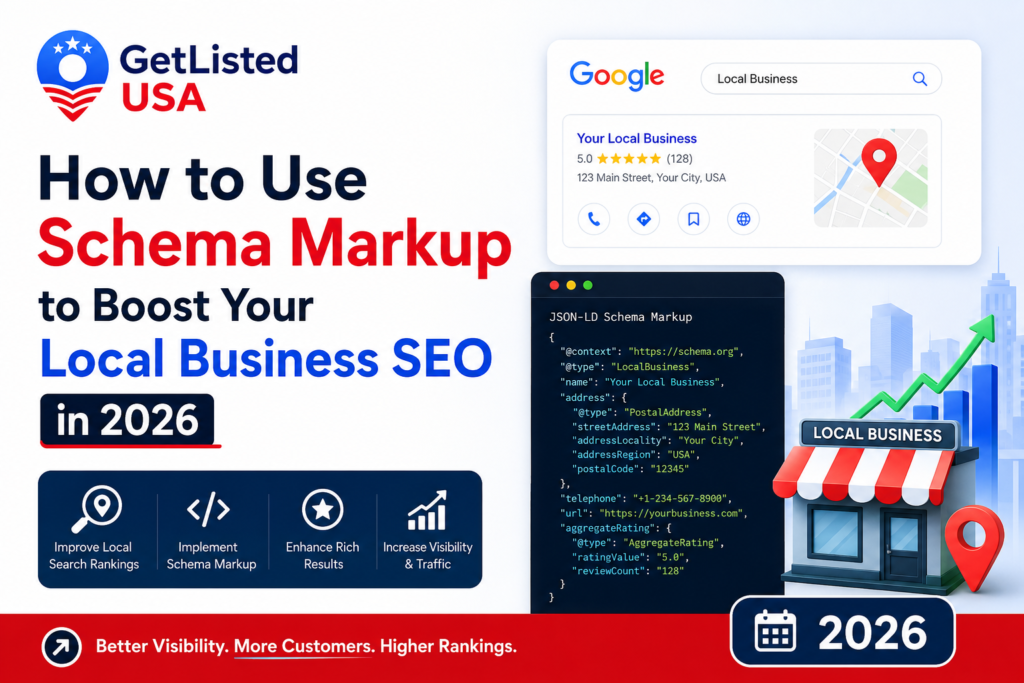
Schema markup is structured data code added to your website that tells search engines and AI tools exactly what your business is, where it’s located, and what it offers. For local businesses, LocalBusiness JSON-LD schema is the most important type; it confirms your NAP, business category, hours, and service area in a format search engines read directly. Source citation in AI Overviews improves by 30% when schema markup is included. In RankMath, local business schema can be added without touching code using the built-in Local SEO module.
Schema markup is one of the most consistently underused local SEO tactics and one of the most consistently impactful when properly implemented. It’s code that sits invisibly in your website’s HTML, telling search engines and AI tools exactly what your business is, where it’s located, what it offers, and what customers say about it. Humans never see it. Google, ChatGPT, and every AI system that crawls the web read it constantly.
In 2026, schema’s importance has grown significantly. Research from Exposure Ninja (2026) shows source citation in AI Overviews improves by 30% when schema markup is present. With AI Overviews now appearing in 25% of Google searches and ChatGPT processing 2 billion daily queries, that 30% citation improvement represents substantial incremental visibility for businesses that implement schema correctly.
The good news: if you run WordPress with RankMath (which GetListedUSA uses), most of the critical schema can be added without touching a single line of code. This guide covers every schema type local businesses need, how to implement each one, and how to test that it’s working correctly.
What Schema Markup Is and Why It Matters for Local SEO
Schema markup is structured data code written in a standardized format (most commonly JSON-LD) that explicitly tells search engines what your web page’s content means, not just what it says. Without schema, Google reads your page and infers that “Garcia Plumbing, 123 Main St, Houston TX, (713) 555-0123” is a local business. With LocalBusiness schema, you explicitly confirm that fact in machine-readable format, removing the inference step. This explicit confirmation improves Google’s confidence in your business data, improves local pack rankings, enables rich results in search, and critically in 2026 improves citation rates in AI-generated search responses by 30%.
There are over 800 schema types at Schema.org. For local businesses, you need to know and implement five:
- LocalBusiness confirms your NAP, category, hours, service area, and website
- FAQPage marks up FAQ sections to appear as rich results in search and get cited by AI Overviews
- Review / AggregateRating displays star ratings in search results for eligible pages
- BreadcrumbLists help search engines understand your site structure
- Organization confirms your business’s identity signals for brand-level trust
This guide focuses on the three most impactful for local businesses: LocalBusiness, FAQPage, and AggregateRating.
Local Business Schema: The Most Important Schema for Local SEO
LocalBusiness JSON-LD schema is the single most important schema type for local SEO. It explicitly confirms your business name, address, phone number, website, business type, hours, price range, and geographic coordinates in machine-readable format. Google cross-references LocalBusiness schema with your Google Business Profile and directory listings to verify your business data. Consistent schema that matches your GBP and citations improves both local pack rankings and AI citation rates. In RankMath, LocalBusiness schema is added through the Local SEO module without touching code.
Here is the correct LocalBusiness JSON-LD format for a local business:
<script type="application/ld+json">
{
  "@context": "https://schema.org",
  "@type": "LocalBusiness",
  "name": "Garcia Plumbing",
  "image": "https://www.garciaPlumbing.com/logo.jpg",
  "url": "https://www.garciaplumbing.com",
  "telephone": "+17135550123",
  "address": {
    "@type": "PostalAddress",
    "streetAddress": "123 Main Street",
    "addressLocality": "Houston",
    "addressRegion": "TX",
    "postalCode": "77001",
    "addressCountry": "US"
  },
  "geo": {
    "@type": "GeoCoordinates",
    "latitude": 29.7604,
    "longitude": -95.3698
  },
  "openingHoursSpecification": [
    {
      "@type": "OpeningHoursSpecification",
      "dayOfWeek": ["Monday","Tuesday","Wednesday","Thursday","Friday"],
      "opens": "07:00",
      "closes": "18:00"
    },
    {
      "@type": "OpeningHoursSpecification",
      "dayOfWeek": "Saturday",
      "opens": "08:00",
      "closes": "14:00"
    }
  ],
  "priceRange": "$$",
  "description": "Garcia Plumbing is a licensed plumber serving Houston, TX specializing in emergency repairs, drain cleaning, and water heater installation.",
  "sameAs": [
    "https://www.google.com/maps/place/garcia-plumbing",
    "https://www.yelp.com/biz/garcia-plumbing",
    "https://getlistedusa.com/listing/garcia-plumbing"
  ]
}
</script>
The sameAs field is particularly powerful; it explicitly connects your schema to your GBP, Yelp, and GetListedUSA directory listings, telling search engines these are all the same business and strengthening your entity recognition across the web.
Add this code to your homepage and contact page. In WordPress, paste it before the </head> tag using a header scripts plugin, or use RankMath’s Local SEO module, which generates this automatically.
Adding LocalBusiness Schema in RankMath (No Code Required)
RankMath’s Local SEO module generates the LocalBusiness schema automatically without requiring any manual code. To activate: go to RankMath → Modules → turn on “Local SEO.” Then go to RankMath → Local SEO → fill in your business name, address, phone, hours, coordinates, and price range. RankMath automatically generates the correct JSON-LD and adds it to your homepage and appropriate pages. This is the fastest, safest way to add the LocalBusiness schema in WordPress with no coding errors possible.
RankMath Local SEO setup steps:
- WordPress Admin → RankMath → Dashboard → Modules → Enable “Local SEO”
- WordPress Admin → RankMath → Local SEO
- Fill in: Business Name, Business Type (select most specific type), Address, Phone, Geo Coordinates (get from Google Maps), Opening Hours, Price Range
- Save RankMath generates the JSON-LD automatically and adds it to your pages
- Test using Google’s Rich Results Test (search.google.com/test/rich-results)
FAQPage Schema: The AI Citation Multiplier
The FAQPage schema marks up question-and-answer sections on your website so Google can display them as rich results (expandable FAQ dropdowns) directly in search results. In 2026, FAQPage schema is also an AI citation multiplier. AI Overviews frequently pull from FAQ-structured content because the Q&A format matches how AI systems answer conversational queries. Structured content with 8+ list sections earns 26.9% more AI citations (AirOps, April 2026). Every FAQ section on your website should be marked up with FAQPage schema.
The FAQPage schema in RankMath is added through the FAQ block in the Gutenberg editor. When you add an FAQ block in WordPress/Gutenberg, RankMath automatically generates the FAQPage JSON-LD. Alternatively, add it manually:
<script type="application/ld+json">
{
  "@context": "https://schema.org",
  "@type": "FAQPage",
  "mainEntity": [
    {
      "@type": "Question",
      "name": "How much does an emergency plumber cost in Houston?",
      "acceptedAnswer": {
        "@type": "Answer",
        "text": "Emergency plumber costs in Houston typically range from $150–$350 for the service call plus parts and labor. After-hours emergency calls may carry a premium of $50–$100. Garcia Plumbing provides upfront pricing before any work begins."
      }
    }
  ]
}
</script>
Review Schema: Star Ratings in Search Results
The AggregateRating schema displays your star rating and review count directly in Google search results as rich snippets visible star ratings that dramatically improve click-through rates. Google only displays review rich results for ratings collected on your own website (through a first-party review widget or customer feedback system) it does not display Google, Yelp, or third-party review ratings in organic results. Add AggregateRating schema only if you have genuine first-party reviews on your website. Faking this schema is a Google Webmaster Guidelines violation.
Testing and Validating Your Schema
Validate your schema using Google’s Rich Results Test at search.google.com/test/rich-results. Enter your page URL and Google will identify all schema types detected, any errors, and whether your pages are eligible for rich results. Also use Schema.org’s Validator at validator.schema.org for comprehensive validation. Run these tests immediately after adding schema and again after any major website updates. Schema errors missing required fields, incorrect formatting can prevent your schema from being read correctly by search engines and AI systems.
For the broader local SEO strategy that schema supports, read our complete local SEO guide for small businesses. The sameAs connections in your schema should link to your active listings including your GetListedUSA listing to strengthen entity recognition. For authoritative schema implementation guidance, BrightLocal’s 2026 research and SBA.gov’s digital marketing resources provide additional context.
Frequently Asked Questions
Q: Does schema markup directly improve my Google local pack ranking?
A: Indirectly but measurably. Schema doesn’t directly cause ranking improvements, but it improves search engine confidence in your business data, enables rich results that improve click-through rates, and importantly in 2026 improves AI citation rates by 30%. These effects compound into better rankings and more traffic over time.
Q: I use RankMath do I need to add schema manually?
A: For LocalBusiness schema, use RankMath’s Local SEO module (no manual code needed). For FAQPage, use the Gutenberg FAQ block (RankMath adds schema automatically). For AggregateRating, only add if you have genuine first-party reviews on your site. Most local businesses using RankMath correctly can implement all necessary schema without manual code.
Q: How does schema connect to my directory listings?
A: The sameAs field in your LocalBusiness schema should include URLs of your verified GBP, Yelp, GetListedUSA, and other directory listings. This explicitly tells search engines that your website and these listings all represent the same entity strengthening your entity recognition signals across the web.
Q: Does schema help with ChatGPT and AI search visibility?
A: Yes source citation improves 30% when a schema is present (exposure ninja, 2026). AI systems that read your website find structured, schema-marked data much easier to process and cite than unstructured content. The FAQPage schema in particular matches the conversational query format that AI search tools process.
Q: Can schema markup hurt my SEO if implemented incorrectly?
An incorrect schema missing required fields, wrong property types, or markup that doesn’t match your actual page content can cause Google to ignore the schema entirely (not a penalty, just no benefit). Fake schema marking up data that doesn’t exist on the page (like fake reviews) violates Google’s guidelines and can result in a manual action. Use Google’s Rich Results Test to validate before publishing.
Add Schema Today, Then Watch Your AI Citations Grow Fast
Schema markup is the most technical-sounding tactic in this guide and one of the most straightforward to implement with RankMath. The Local SEO module handles the LocalBusiness schema in minutes. FAQ blocks handle the FAQPage schema automatically. And the results are 30% more AI citations, rich result appearances, and a stronger entity recognition compound for as long as your site exists.
Add LocalBusiness schema to your homepage today using RankMath’s Local SEO module. Add the FAQPage schema to your next piece of content. Include your GetListedUSA listing URL in your sameAs array. Read our complete local SEO guide for how schema fits into the broader ranking strategy. The businesses appearing in AI Overviews in your category are the ones that did this work. Now it’s your turn.